Most likely I highlighted the text of your article and pasted it into my notes so I wouldn't lose any of your insights. I have other sections of notes that I am certain are from your articles, but they are saved in such a way that they are mostly just lists of prompts, though there are some notes by you scattered throughout. No other articles, though. If anything posted reminds you of something you forgot about, just ask and I will see if I have any notes on it.
Image post by stapfschuh | Civitai
Sometimes, when i open the frontpage of civitai, i can't hold myself back doing that very well known facepalm-meme. Why? Well, people make models of everything.
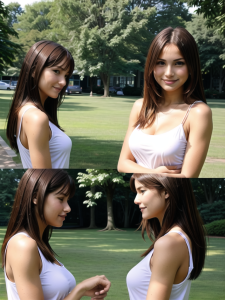
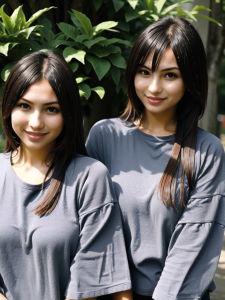
This time it is a consistent character. Put this in positive together with weights:
(one-and-the-same-person-only-from-now-on) for anime checkpoints and
(the-same-person-only-from-now-on) on realistic and anime checkpoints
looks honestly a little bit dumb and after you've seen it you probably have the same facepalm-meme in mind, but it works very well. the only thing that is changing is hairstyle and clothes.
and the prompt itself is just the basic. prompt anything you want to see or don't want to see.
Until next time....
UPDATE: since this article confused so many people:
it's only useful for clips.
sorry for that confusion
UPDATE: for extra consistent looks: "doll-face" in positive. generates always brown hair and brown eyes. it's better to prompt a location if you want to avoid that dolls get generated. anything doll-specific in negative wasn't very helpful. it mostly only "deleted" doll in positive and generated a face close-up.
UPDATE: together with hyphens and quotation marks, i found out that the following example prompt is absolutely consistent: 1girl-only, set-up-on-following-description:"long-brown-hair, blue-eyes, petite-but-grown-up-adult, always-the-same-look"
basic here is "set-up-on-the-following-description" and "always-the-same-look" generates, badumm tsss, always the same look. anything else is just standard description. Image post by stapfschuh | Civitai
UPDATE: this one is a wild mix from some of my articles, because i used many techniques from my them to find this one out. i tried to get "tachibana arisu" generated and prompted
"idolmaster"-anime-character-"tachibana-arisu" (hyphens and quotation marks)
after some images, i got one that was very close to the original one, so i prompted
(THANK-YOU-AI! the-last-one-was-correct) (being polite to your checkpoint)
after that, i got always the same girl. same hair, same eyes, same face and so on. nothing did change on looks. only hairstyle and/or clothes changed sometimes because i didn't prompt those.
#
#
#
You all know that simple prompt POV and many of my followers have already seen that you can combine it with anything else. And in this article i want to show you combinations using POV and what they do/can generate.
Very important: I tested those prompts only/mostly on realistic checkpoints, because nearly no prompt really worked or worked like i did hope for on non-realistic checkpoints. You still can test them on those.
And some of them only work when prompting another character and/or location.
The only prompt that looks better using non-realistic checkpoints: "lap-pillow-pov", generates a pov-scene where, most of the time, a woman is sitting and looking at you and many times you will only see her lap. Useful for those ear cleaning scenes for example.
From here on, only realistic checkpoints:
"selfie-pov" is very similar to the look of "first-person-pov", but it generates a girl that takes pictures of herself
"mirror-selfie-pov" generates a girl that takes pictures of herself using a smartphone in front of a mirror. no other prompt as description is needed. sadly any tries to get that "one-finger-challenge" did not work until now. tried many descriptions but not even one did work. not even properly.
"lovers-pov", "couple-pov", "man's-pov", "dating-pov"... outdoors or any other location only. without it, you will see a lot of annoying nsfw. it generates couple scenes mostly. sadly, even with an overdose of negative prompts, i had no luck on "holding-hands" without horror. all 4 of them, without prompting anything special, generated mostly the same like "first-person-pov" but those girls acted pretty emotional.
"animal's-pov"... outdoors. without it, you will very often see girls holding an animal or, well, some horror. it generates scenes same like "from-below". Those girls are looking down at you.
"underwater-pov" generates scenes in pov underwater. Good point to mention here is that it never even once generated anything freaky while those girls were swimming around.
"underwater-vaginal-sex-pov".. tried this only for fun at first to see what would happen, but in general it was really interesting what i got. my checkpoints had a very hard time to generate such a scene and it mostly really looked like what sex underwater would look like. clumsy...
and you will get that result very often.
"high-five-pov" or "high-5-pov".. with or without "outdoors" but you must add another character or you'll mostly see pov-hands or -arms making very strange gestures. Most of the time those girls made a high-five gesture only. only 1 of 20 images included a pov-hand and i never got a real high-five without prompting anything else to get it to work. means that you should add any prompt that can help generate a real high-five.
"driver's-pov", "pilot's-pov", "captain's-pov" generate exactly what you have in mind right now after reading them. add "hands-on-wheel" to make it more realistic.
"passenger-pov" generates scenes where you mostly look around while sitting inside a car. "plane-interior", "ship-interior", "ufo-interior", "spaceship-interior", "rocket-interior" and many more can be used.
"alien's-pov" generates basically anything that is not earthly. Scenes in space, scenes meeting other aliens, scenes inside a ufo and more.
"monster's-pov"......be very careful with that one if you have a weak heart. i really am not joking on this one! it scared the hell out of me! you will see a lot of freaks and really most of the time they make faces to just scare you. it's pretty scary at first but gets super funny the moment you get used to it.
That's all for now. Like always i will update this article if i find more.
Until next time....
UPDATE: "snapshot-pov" is what the name says, but you will never see a character holding anything to take snapshots. and most of the time you will get a close-up.
"webcam-pov" will generate a lot of nsfw-scenes with many different perspectives. indoors, outdoors or no prompt at all always generated the same result.
"video-pov" is like a combination of "selfie-pov" and "webcam-pov". those girls always took some selfie-videos mostly naked. indoors, outdoors or no prompt at all always generated the same result.
"wrestler's-pov"....you during a fight :D
But it can generate a lot of chaos even with a bunch of negative prompts if you don't prompt anything special you want to see in your images
"ego-pov" is like a combination of a normal pov, a snapshot and "first-person-pov" but with a looooooooooooooooooooooot of flirt-scenes and very few nsfw. "outdoors" is highly recommended.
UPDATE: if you want a singer live on stage with a working and good-looking microphone and a singer that is looking at its audience and not at you, prompt
"audience-pov"
If that singer is not looking at its audience but at you, prompt "getting-completely-ignored".
UPDATE: "messy-pov" generates a really huge mess. many times a sexual one. it looks super funny what you get on any checkpoint. Image post by stapfschuh | Civitai
"dirty-pov" .. basically the same like "messy-pov" but less messy (sometimes xD)
"funny-pov" ..a lot of funny strangeness
"flying-pov" .. skydiving mostly without a mess
"vr-pov" ... use only that prompt on it's own and you'll get awesome images. prompting any character gets you only someone in front of you wearing that vr-stuff.
"snake-pov" .. add "snake-head" in negative and you get a lamia
"bloody-pov" generates a bloody mess and gore-scenes
"gore-pov" ...use it with care!!!
"drunk-pov" generates many parties, bars, and so on with drunk people
"hangover-pov" ... well, friday night in real life xD
"fucking-pov" generates totally fucked-up stuff. sex scenes, robots, minigirls, strange knights, maniacs, gangbangs, something that looks like a kidnapping in first-person-view and so many more really strange scenes
"fighting-pov" ..fighting in first-person-view
"molesting-pov" ..strange, very strange. i wasn't the molester. i GOT harrassed.
"pov-molesting" ..that's the correct one like it should be
"harassing-pov" ...you harras someone
"pov-harassing" ...you get harrassed by someone
"pov-giantess", "outdoors", "inner-city" generates a giantess. indoors generates a horror-freakshow and inner-city is just for size comparism Image post by stapfschuh | Civitai
"rage-pov" generates a freakshow out on purpose. those characters were screaming like crazy all the time
"calm-pov" .. they were just calm and sometimes sleeping
"shower-pov" ..watch your girls while they are showering. sometimes they made a surprised pose because they got watched but mostly they are just staring at you. but most important is that everything got generated insanely perfect
"bath-pov" ...watch them bathing or bath together. you have to prompt anatomy in negative! :D
"eating-pov" ...normally, you would expect watching someone eating. and yes, this also gets generated, but many times, on nsfw checkpoints, those girls had their tongue out, many times a veeeeeeeeeeeeeery long tongue, as if they were waiting for that cumshot. they always sat in such a position and made that expecting face. and you should prompt what they should eat. many times it really looked like "2girls1cup" :D
"leading-pov" is a strange one and i can't explain it as there was never, on any checkpoint, anything consistent. instead use "pov-leading" as it generates exactly what you would expect.
"diving-pov" ... use "life-size-body:2" and a direction. i used "forward-movement-from-left-to-right" to tell my checkpoints what to do. any other direction also works. and resolution should be 1024x512. otherwise your checkpoints will try to get that whole body in one image and this ends up generating freaks. also put "insanely-misplaced-limbs:2" and "kraken-limbs:2" in negative to get consitent results. tested many combinations but these two together finally worked.
"drowning-pov" generates a drowning-character. but it looks more funny than realistic, because they always looked like "ah! i'm drowning! ah! what do i do now! ah! will my life end here?". a lot of drama xD
"dreaming-pov" generates a lot of sleeping-beauty-vibes. you mostly will see cute girls sleeping and dreaming. on nsfw-checkpoints it generated a lot of sleep-molestation scnes and also scenes where those girls had wet dreams. looked pretty funny to be honest.
"deep-sleep-pov" same like above, but in this one even if earth would explode, they wouldn't wake up.
"freaky-pov" ...first and most important: prompts for anatomy with heavy weights in negative are a must! after that you get a lot of funny unpredictable scenes. absolutely not recommended for checkpoint "real dream". generated plain boring sex only.
"buttocks-pov" ... no need for a special trained model. add "legs-focus" to add heights. "pussy-focus" or "ass-focus are self-explaining. "standing", "spread-legs" on horizontal images, "spread-legs", "split" on vertical images. tried to get a jack-o-pose with this prompt and tried many vertical resolutions, but it always ended up in a total freakshow. no prompt worked.
"tutorial-pov", but this one is a bit special. it only works on vertical images. add any cam (funniest one is dashcam) and or location or anything else you want to see. add "live-moderation" for video-tutorials. don't add any character. generates always an overload on chats or videos or screens and so on.
"pov-pov" ...this looks and feels like a bodycam filming while being on drugs. you'll get a lot of "first-person-pov" mixed with a lot of weirdness. better prompt "outdoors" or any location to get a stable "confusion". honestly, i wasn't sure if i should publish it. but somehow it would be wasted if i didn't. have your fun with it :D
"submissive-pov" generates characters, mostly only girls, that, well, give you everything in the most aggressive way.... best fun on nsfw checkpoints :D
"hypnosis-pov" generates hypnotized characters. you will only see if it works when they look confused. it generates a lot of nsfw even on non-nsfw checkpoints.
something important that i found out: test those prompts with "1person", too. results change drastically. many times "you are the main actor"....
"spread-legs-pov"... working on horizontal and vertical images. i really can't believe that someone made a spread-legs-lora sigh
#
#
#
A few weeks ago, i found a way of prompting that is very explicit. I already published a small part of it on another article.
Here an example: "1girl-holding-a-"yes"-pillow" or "movie-"chucky"
as you can see, they contain hyphens and quotation marks.
Another one that i found is, that you can directly talk to your checkpoint. What i wanted to get generated was a "pussy-face". My checkpoints very often generated images with question marks, because not even one of them knew what a pussy-face is or what it should look like. I tried something that any checkpoint surprisingly did understand at the first try:
"EXPLANATION-OF-PUSSY-FACE:"mouth-replaced-by-a-vagina-on-a-girl's-face"
Suddenly every checkpoint tried its best to generate a pussy-face. Sadly, not even one of them could generate one, but that's another story and nothing that turns me down. It just proved that an "explanation" and quotation marks work.
I will work on this way of prompting more and more and post my results here. If you want, you can do the same if you find something.
Until next time...
UPDATE: this one, i already posted below one of "aiartist73"'s article:
"special"-features ... put it in negative. my checkpoints reacted on it like crazy and did not even one time generate any strange anatomy.
"rainbow"-vomit.... saw this one on the frontpage. it generates what the name says, but, and i absolutely can't figure out the reason for it, it generated only children. you should prompt it accordingly.
UPDATE: holding-sign-saying-"love"-and-"you"
it's far from perfect, because often that sign got mixed in with clothes, but "saying" built a text every time. Image posted by stapfschuh (civitai.com)
UPDATE: prompting
movie-character-"jessica-rabbit" (for example. check my profile to see the results)
is insanely helpful if you use any model available here on civitai or elsewhere.
instaed of "movie-character" use any job or anything that helps identifying that person. it's a bit trial and error, because i don't know which checkpoint has such a huge dataset like that insanely overtrained checkpoint "real dream". but until now, any person or character before 2023 got always generated on any checkpoint that i tested.
UPDATE: after my last article (brackets), i had the idea to use this method here to separate 2 characters. what do you think? fail or success? Image post by stapfschuh | Civitai
UPDATE: "wearing-uniform-"mary-janes"-shoes-with-buckle-in-black" as example
"uniform" reduces chances that you get two different shoes, "mary-janes" as a direct brand, "shoes" as replacement for "footwear", "with-buckle" because they were missing sometimes and now they are always part of these shoes and lastly the color.
this form of prompting generates very consistent images the whole time without any visible difference.
#
#
#
Negative prompts tell an AI model what you do not want in the output. For ex if the negative prompt included the word "Watermark" then then image created will not have any watermarks. Ok cool! so can we simply a compile a big list of everything we don't want and use it every time? Well, you should not use negative prompts blindly, because sometimes your positive may want something that is mentioned in the negative prompt.
Here is an example:
Prompt: Hyperrealistic full-body-photo a (girl, holding-rose-bunch, main-focus), behind (colorful-garden, Out-of-Focus)
Negative Prompt: Out of Focus
The creation will simply fail.
Instead you should remove "Out of Focus" from the negative prompt. For ex:
Prompt: Hyperrealistic full-body-photo a (girl, holding-rose-bunch, main-focus), behind (colorful-garden, Out-of-Focus)
Negative prompts do not have to be a long list of everything, especially things repeated to get the AI's attention. Let us start by analyzing few samples that are commonly used.
Body Out of frame, Deformed, Deformed face, Deformed fingers, Deformed hands, Out of frame, Poorly drawn face, Poorly drawn feet, Poorly drawn hands.
This prompt is saying that we don't images with one or more persons looking deformed, poorly drawn or parts of the body or entire body out missing. But do we need to explicitly mention every body part? Not at all! the following conveys the same meaning to the AI model and more.
Deformed, Out of frame, Poorly drawn
How is this the same? Because this prompt tells the AI model we don't want anything deformed, out of frame or poorly drawn, not just body or face or body parts.
Here is a good list of negative prompts with explanation of what each means:
Bad anatomy - No people (or other objects) with bad anatomy.
Blurred, Out of Focus - No people (or other objects) with blurred or out of focus. You have to be careful with this one. Sometimes you may want to focus on one or more subjects, blurring the rest of the scene.
Childish - The picture should not look a childish drawing.
Cut off, Out of frame - No people or objects cut off or completely missing from the scene.
Deformed, Disfigured, Irregularly Shaped, Malformed, Merged - Nothing in the picture looks deformed, disfigured, irregular shaped, malformed or merged.
Draft, Grainy, Kitsch, Low-res, Old, Poorly drawn - The picture should not look like poor quality draft or grainy or Kitsch or low-resolution or old or poorly drawn.
Extra limbs, Floating limbs - No extra limbs attached or floating.
Signature, Text, Watermark - no signatures or text or watermark in the picture.
unprompted-nsfw - If you don't want NSFW content generated accidentally. (Credit: stapfschuh)
Other useful negative prompts:
Wall Hanging, Photo Frame, Mirror - This is useful to remove these especially working on set of scenes, because the change randomly.
People - if you don't want extra characters in the scene.
Cloth, Inner - If you are creating NSFW images.
Of course this is not all. I use many more in my creations. But the point of this article is not to list every possible keyword you can add to the list. Instead, just like the positive prompts, your negative prompts should also be crafted carefully based on the scene you are working on. Sometimes, a single prompt is enough to do something very clever. stapfschuh is an expert on this subject, do check out his article.
Hope this helps. Do you have tips, suggestions or comments? Please drop a comment below.
#
#
#
GENERATION GUIDE
First of all:
my way of prompting is very unique and absolutely unknown to most of you, just because i am researching prompts and checkpoints' behavior patterns using those prompts. in the older days, i created a prompt method using hyphens that is insanely stable and has their own fixed weight. if you remove those hyphens from those following prompts, i don't guarantee them to work the way they are intended to.
let me tell you one thing that never, not even one person using any ai image generator ever mentioned: your ai is a blind child (that's easy to scare, but more on this later). it acts blind and stubborn and sometimes even ignorant. during my research, i have seen a huge amount of those patterns on many checkpoints. they will show you what they want to tell you in the form of an image using mimics, gestures or sometimes tools. you have to exactly tell your blind child what you want from it and i will show you how you can do it by using very unique prompts.
EDIT HERE: i forgot something very important! i put every important prompt in 3 brackets to get maximum results. scroll down to see how it should look like in the end.
but before that: i use stable diffusion 1 on automatic1111 on standard options that show up after starting the web-ui. and my only resolution that i always use is 512x1024.
"9:16-resolution" in positive and "4:3-resolution" in negative as a first and most important prompt to tell your checkpoint which resolution you want to see and to get stable and consistent bodies (explanation to this later)
"Ultra-HD-quality-details" ... no need for "masterpiece" and all that other overload of prompts to get quality images
"advanced-image-sharpness" removes anything blurry and generates stunning details. for anime checkpoints "advanced-detail-sharpness" is highliest recommended
"outside" instead of "outdoors" generates a far better realism
and now only negative prompts
"human-centipede", this prompt scares the hell out of your checkpoint and will replace any anatomy based embedding or prompt. you get nearly (read the next prompt why "nearly") 100% perfection
"hands-in-pockets" forces your checkpoint to generate good looking hands all the time
"3D-similar" removes anything artificial looking from realistic checkpoints
"die-hard-asian"... well, this one generates european people, british people, american people and never anything asian, chinese and so on
"last-changes, last-position-changes, last-pose-changes" removes generation of multiple limbs and poses
"hide-and-seek"... never get stuck anywhere or touch something in a strange way
i have tested all of them on models, too. models that are trained on maximum 512x768 resolution and it failed only at a resolution of 1024x1024 and always generated, even with aggressive negative prompts, 2 people but not even one time any weirdness.
here's the full list of prompts already put in brackets for simple copy and paste:
positive: (((9:16-resolution, Ultra-HD-quality-details, advanced-image-sharpness))) 1girl, outside
negative: (((4:3-resolution, human-centipede, hands-in-pockets, 3D-similar, die-hard-asian, last-changes, last-position-changes, last-pose-changes, hide-and-seek)))
and at least some images using those prompts and a resolution of 1024x1024 in standard sd to show their best effects. i don't cherry pick, so if you see something weird i don't care:
small edit: i can't upload more than two images strangely. sorry for that
#
#
#
bored? no ideas for images anymore? want some completely unpredictable images? simply prompt
(((crisp-Ultra-HD-image-details, viewer's-angle-of-view-recording-of-other-people))) 1woman, outside
and (((last-chance-pose))) in negative
have fun
#
#
#
since it's not allowed to share images containing nsfw-stuff, you'll have to recreate it on your own.
in sd1, if you want a harness, bondage or rope-bondage, simply prompt
(((uncensored-harness-style))), (((uncensored-bondage-style))) or (((uncensored-rope-bondage-style)))
prompt it like posted using brackets and hyphens to get those results.
#
#
#
you may think that selfies are basics on every checkpoint, but if someone like me is fooling around with them for months, they will become complicated...
first of all: i always and only use "outside" to get best results. it is the best way to confuse checkpoints and to learn what to do.
simply "selfie" does generate a lot of horror using "outside" after some time. to get this fixed without a lot of trial and error, prompt as a base prompt
"selfshot-selfie" and use those to avoid too many fails "selfie-addicted, pro-when-it-comes-to-quality-selfies"
and for consistent images prompt in negative
(((cautious, decent, embarrassed, shy, virgin, maiden, surprised, give-and-take, mirror-selfie)))
together with those brackets. now let's really get started:
if you want to change locations, simply prompt "selfshot-nature-selfie", "selfshot-city-selfie", "selfshot-indoor-selfie" or wherever you want your character to be. simply prompting those locations alone leads to a lot of fails. that's why i put them together.
for any nsfw stuff prompt "uncensored-selfshot-selfie".
for some effects you can prompt any known social media platform or website. for example "selfshot-twitter-selfie", "selfshot-brazzers-selfie" and so on.
for indoor selfies prompt "selfshot-indoor-selfie". NEVER use "interior". it becomes freaky 99%. on the other hand "selfshot-exterior-selfie" without "outside" is working 100%.
any activities can also be prompted. "selfshot-training-selfie", "selfshot-biking-selfie" (don't do that in real life!!! :D, that preview image has this prompt in it), "selfshot-diving-selfie" and so on.
you can prompt stars, known figures, heroes and so on. animals are 100% impossible and i never researched on that more than one time.
in some few cases using this prompt "selfshot-autofocus-selfie" was helpful if it got too freaky even with all those negative prompts.
#
#
#
A few weeks ago, i found a way of prompting that is very explicit. I already published a small part of it on another article.
Here an example: "1girl-holding-a-"yes"-pillow" or "movie-"chucky"
as you can see, they contain hyphens and quotation marks.
Another one that i found is, that you can directly talk to your checkpoint. What i wanted to get generated was a "pussy-face". My checkpoints very often generated images with question marks, because not even one of them knew what a pussy-face is or what it should look like. I tried something that any checkpoint surprisingly did understand at the first try:
"EXPLANATION-OF-PUSSY-FACE:"mouth-replaced-by-a-vagina-on-a-girl's-face"
Suddenly every checkpoint tried its best to generate a pussy-face. Sadly, not even one of them could generate one, but that's another story and nothing that turns me down. It just proved that an "explanation" and quotation marks work.
I will work on this way of prompting more and more and post my results here. If you want, you can do the same if you find something.
Until next time...
UPDATE: this one, i already posted below one of "aiartist73"'s article:
"special"-features ... put it in negative. my checkpoints reacted on it like crazy and did not even one time generate any strange anatomy.
"rainbow"-vomit.... saw this one on the frontpage. it generates what the name says, but, and i absolutely can't figure out the reason for it, it generated only children. you should prompt it accordingly.
UPDATE: holding-sign-saying-"love"-and-"you"
it's far from perfect, because often that sign got mixed in with clothes, but "saying" built a text every time. Image posted by stapfschuh (civitai.com)
UPDATE: prompting
movie-character-"jessica-rabbit" (for example. check my profile to see the results)
is insanely helpful if you use any model available here on civitai or elsewhere.
instaed of "movie-character" use any job or anything that helps identifying that person. it's a bit trial and error, because i don't know which checkpoint has such a huge dataset like that insanely overtrained checkpoint "real dream". but until now, any person or character before 2023 got always generated on any checkpoint that i tested.
UPDATE: after my last article (brackets), i had the idea to use this method here to separate 2 characters. what do you think? fail or success? Image post by stapfschuh | Civitai
UPDATE: "wearing-uniform-"mary-janes"-shoes-with-buckle-in-black" as example
"uniform" reduces chances that you get two different shoes, "mary-janes" as a direct brand, "shoes" as replacement for "footwear", "with-buckle" because they were missing sometimes and now they are always part of these shoes and lastly the color.
this form of prompting generates very consistent images the whole time without any visible difference.


 1. Drei Tricks, die SD1.5 sofort realistischer machen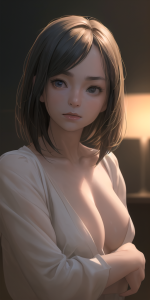
 Der Kern: SD1.5 ist nicht auf echte Erwachsene trainiert
 Erwachsene = selten, stilisiert, idealisiert
 Warum Erwachsene bei „photo-realistic“ trotzdem 2D bleiben
 Das Modell kann sie leichter perfekt rendern, selbst wenn die Trainingsdaten nicht optimal sind.
 Der eigentliche Mindfuck
 Wie man SD1.5 trotzdem zu echten Erwachsenen zwingt
 2. Es erzeugt symbolische Stellvertreter
 4. Es ist ein „semantic expansion token“
 Warum das so ist (modellpsychologisch)
 Praktische Anwendung im Prompting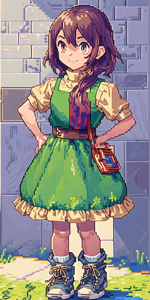
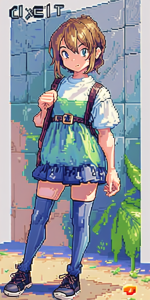
 Etablierte oder häufig genutzte Wortspiele
 Kreative, aber real existierende Neologismen
 Seltener, aber stilistisch interessant


